



What you can do
A concise overview—details always live in the app on your device.
-
Find micromobility nearby
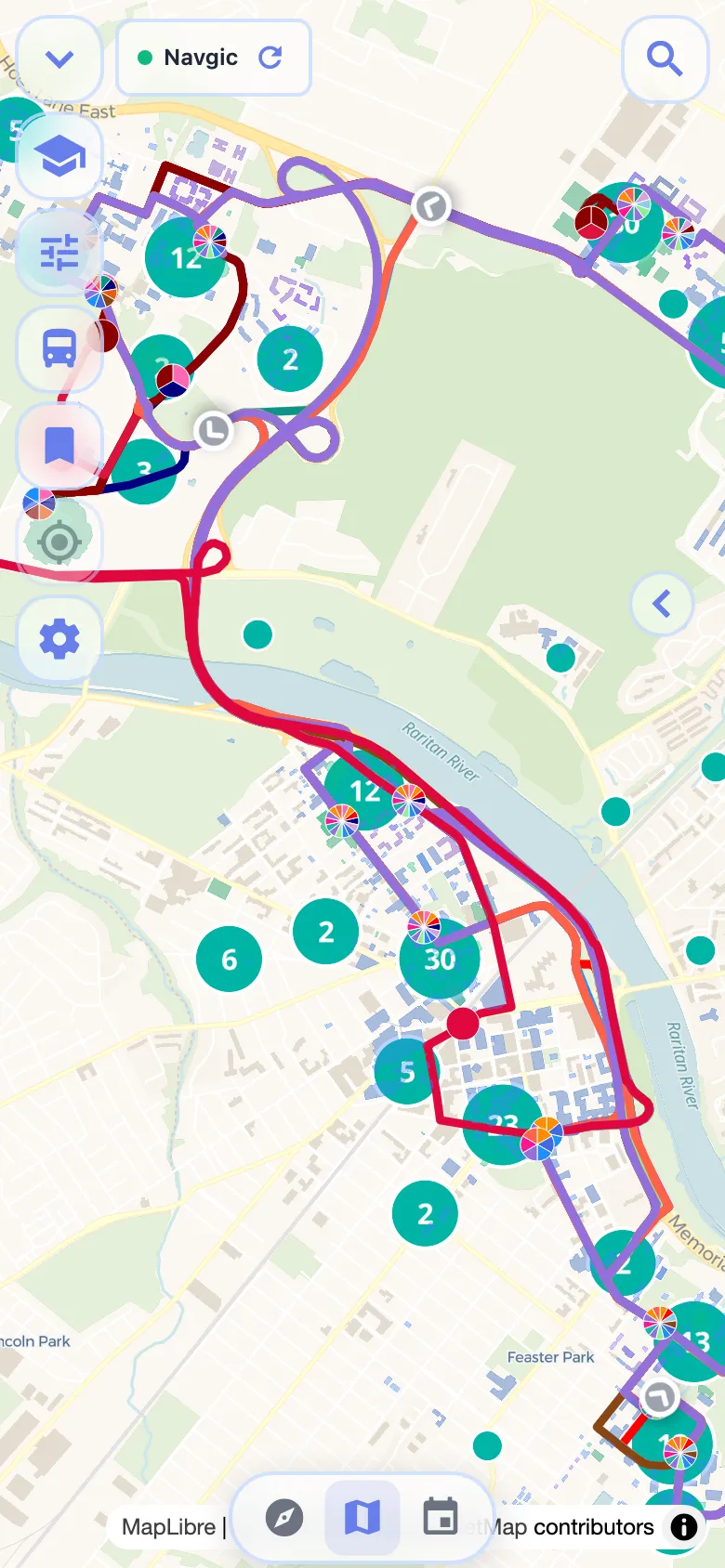
On supported campuses, see live locations for nearby Veo scooters, e-bikes, and other micromobility vehicles on the same map as buses and buildings.
-
Explore campus
Find buildings, bus stops, and key locations with a map tuned for each supported school.
-
Plan trips
Get walking and transit directions designed around real campus networks.
-
Track transit
Follow buses and announcements where live data is available for your campus.
Veo ride & micromobility on supported campuses
Where your campus partners with Veo, Navgic shows live vehicle locations alongside buses, stops, and buildings — so you can spot the closest scooter or bike without opening a separate app.
-
See what's nearby
Live markers for Veo ride and micromobility vehicles appear on the campus map when your school is supported.
-
Plan the full trip
Combine walking directions, shuttle tracking, and nearby Veo vehicles to close first-mile and last-mile gaps between classes.
-
Ride with Veo when you're ready
Navgic shows locations only. Unlock, pay, and ride through the official Veo app — Navgic helps you find the nearest available vehicle.
Currently supported: Rutgers University (New Brunswick) and Rutgers University (Newark)
Veo is an independent micromobility provider. Rentals, pricing, and ride rules are managed by Veo, not Navgic.
How Navgic works
Navgic combines official campus data with real-time transit feeds and micromobility locations into a single, fast interface. Open the app, pick your university, and start navigating — no account required.
-
Open the app
Open the app or the live web tracker — no account required.
-
Pick your university
Choose your school to load the campus map.
-
Start navigating
Maps, directions, live buses, and micromobility land in one interface.
Supported universities
All-in-one campus maps and transit tools for each school—open a campus page for maps, directions, and live bus tracking.
- Rutgers University New Brunswick New Brunswick, NJ 52,000+ students Veo ride & micromobility Campus map & live bus tracker
- Rutgers University Newark Newark, NJ 12,000+ students Veo ride & micromobility Campus map & live bus tracker
- Rutgers University Camden Camden, NJ 6,000+ students Campus map & live bus tracker
- New York University New York, NY 57,000+ students Campus map & live bus tracker
- Stony Brook University Stony Brook, NY 26,000+ students Campus map & live bus tracker
- Binghamton University Binghamton, NY 19,000+ students Campus map & live bus tracker
- Kent State University (PARTA) Kent, OH 26,000+ students Campus map & live bus tracker
- University of Georgia Athens, GA 43,000+ students Campus map & live bus tracker
Campus guides
Step-by-step tutorials for Navgic on the web and mobile.
- Getting started with Navgic
- Rutgers campus map & bus tracker guide
- Live Rutgers bus tracker
- NYU campus map guide
- Stony Brook campus map guide
- Binghamton University campus map
- Binghamton OCCT bus tracker
- How to track campus buses
- How to search campus buildings
- How to find Veo rides on the map
- Kent State campus map & PARTA
Frequently asked questions
Is Navgic free?
Yes. Navgic is completely free to download and use on iOS, Android, and the web.
Which universities does Navgic support?
Navgic currently supports Rutgers University, New York University (NYU), Stony Brook University, Binghamton University, Kent State University (PARTA), and the University of Georgia (UGA), with more campuses coming soon.
Does Navgic work offline?
Campus maps and building data are cached on your device for basic navigation. Real-time transit and Veo vehicle location features require an internet connection.
Does Navgic show scooters and bikes?
On supported campuses — currently Rutgers University (New Brunswick) and Rutgers University (Newark) for Veo — Navgic displays live micromobility locations on the campus map. Unlock and pay in the official Veo app; Navgic helps you find what's available nearby.